
AI Introduction
Tabidoo AI brings a new way to work with your applications, data, and logic. Instead of navigating complex settings or writing everything manually, you can simply ask or describe.
AI becomes your assistant directly inside Tabidoo.
What can you do with Tabidoo AI?
With Tabidoo AI, you can:
- Ask questions about Tabidoo features and documentation
- Get help with scripting (TypeScript, workflows, custom logic)
- Understand how to build or modify your application
- Generate ideas, structures, or solutions
Why Tabidoo AI is powerful
Tabidoo AI works directly with your application context. It understands:
- where you are in the application
- your data structure
- your role and permissions
It can also use:
- Tabidoo documentation
- recommended best practices
Thanks to this, the AI can:
- quickly understand your data
- access relevant information from your tables and application
- suggest optimal solutions based on your setup
This significantly reduces the time needed to analyze and design your application.
Where can you find AI?
AI is integrated directly into Tabidoo.
- Click the AI icon (top-left corner) in the interface
- Start a conversation instantly
- Access your previous chats anytime
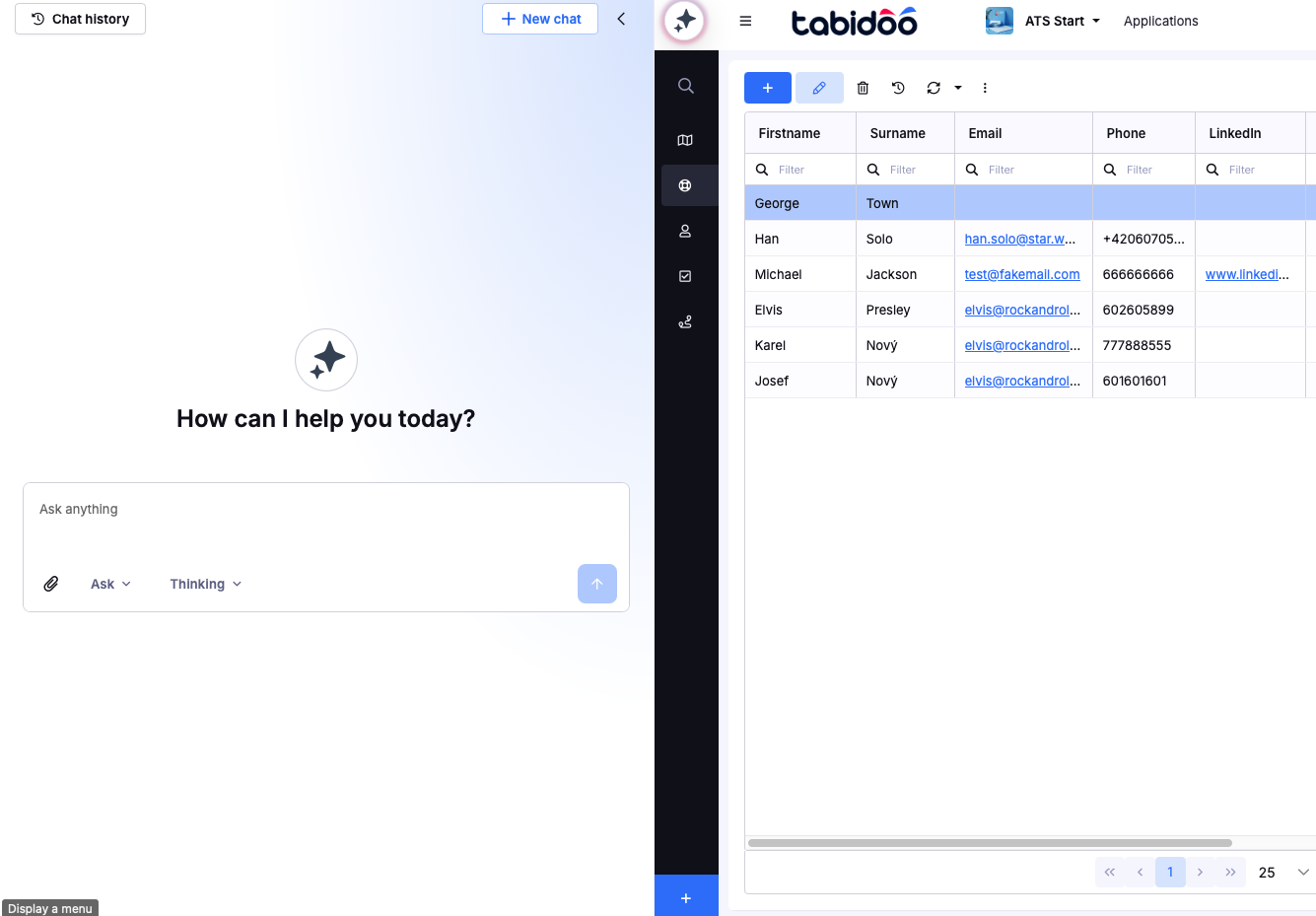
AI Modes
Tabidoo AI is designed to support multiple modes:
Ask Mode (Available)
You can use AI to generate scripts, workflows, and application logic.
For best results, we recommend reviewing and testing generated outputs before using them in production.
→ Learn more about AI Chat (Ask Mode)
Build Mode (Coming soon)
Create and modify applications using natural language.
→ Learn more about AI Build Mode
AI Models
You can choose between different AI models depending on your needs:
Fast model
Designed for quick and simple queries.
- navigation questions (e.g. “Which table am I in?”)
- basic help or short answers
Faster responses, lower credit usage.
Thinking model
Designed for more complex tasks that require deeper reasoning.
- application design questions
- multi-step logic
- detailed explanations
More advanced responses, higher credit usage.
- more agents coming soon, including custom agent creation
Credits & Usage
AI features in Tabidoo are powered by credits.
- Your usage depends on the complexity of your requests and selected AI model.
- You can monitor your consumption directly in the application.
→ Learn more about AI Credits and Usage
What’s coming next?
We are continuously expanding Tabidoo AI capabilities:
- AI Chat
- Working with your data in AI chat
- Bulding your app with AI Chat
- AI Form Behaviors
- AI in widgets
- AI in workflows
- Custom AI agents (Coming soon)
- Advanced reporting and analytics
Tabidoo AI is evolving into a complete AI-powered platform for building and managing applications.