
AI Form Behaviors
AI introduces a new way to define form behavior in Tabidoo.
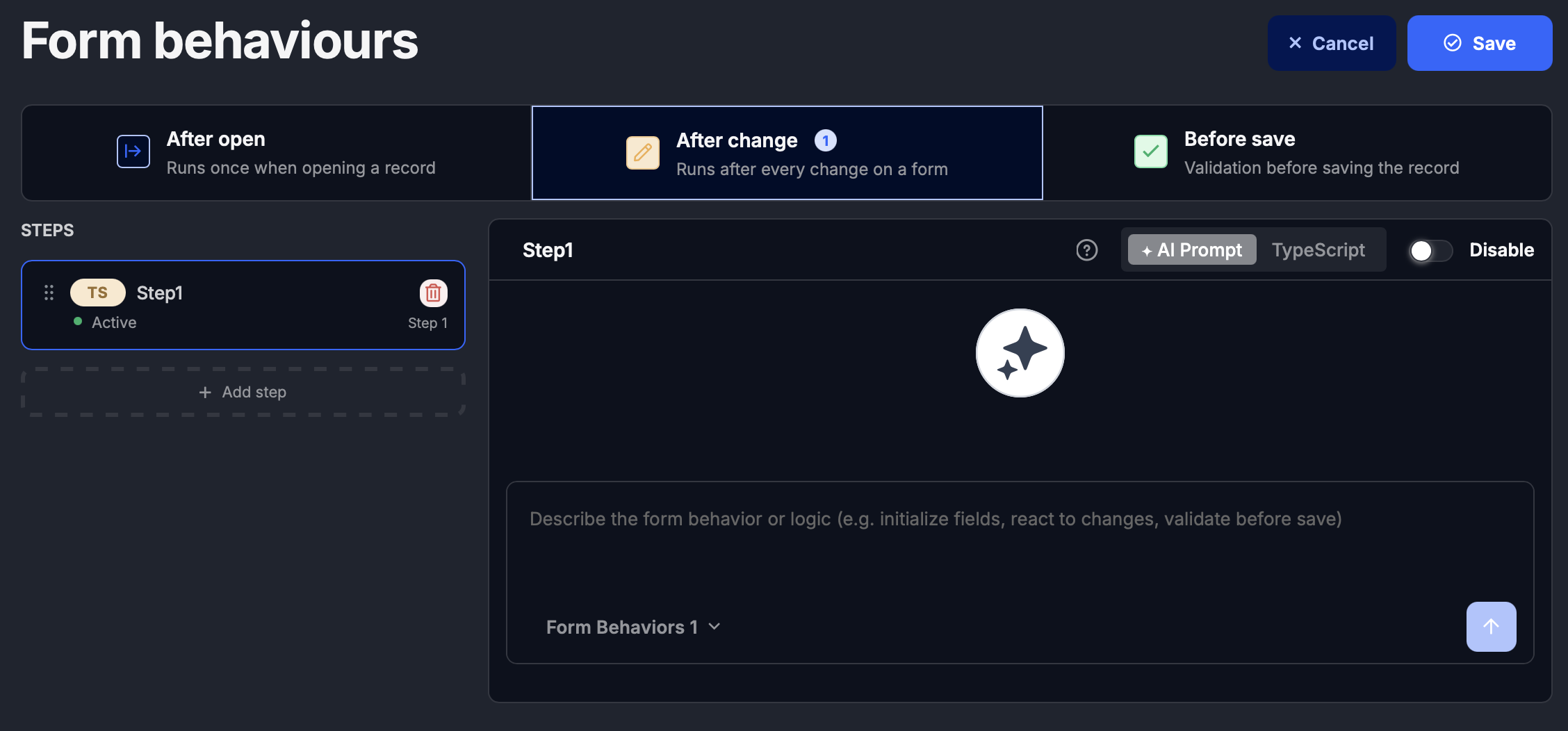
Until now, form logic has been implemented using TypeScript scripting within the form lifecycle:
- After open (init)
- After change
- Before save
While this approach offers full flexibility, it requires technical knowledge.
A new approach with AI
With AI, form behavior can be defined using simple prompts instead of code.
You will be able to:
- Define form logic step by step
- Describe behavior in natural language
- Let AI generate and execute the logic
- Combine multiple steps into a structured flow
How to enable Form Behaviors
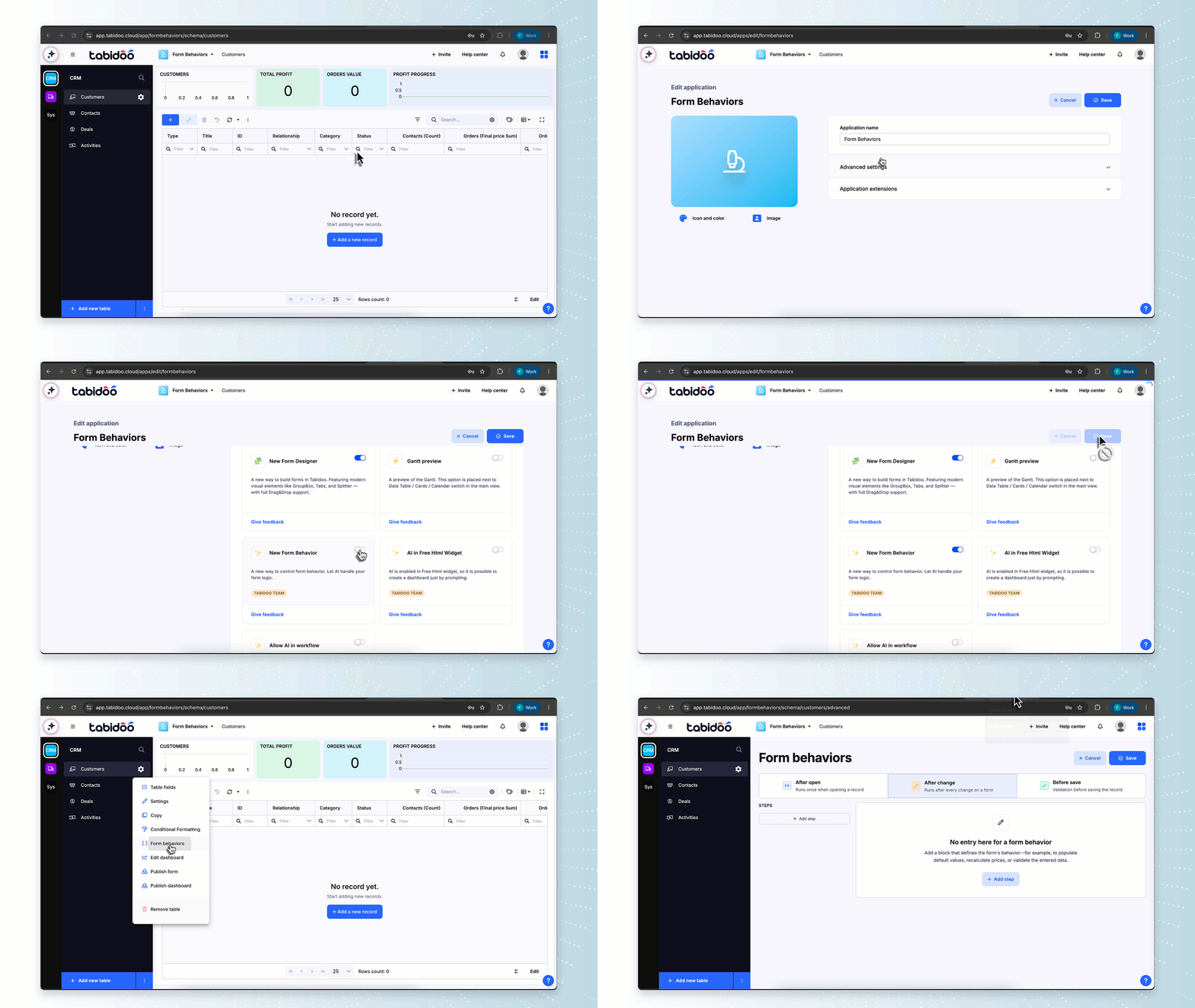
Before using Form Behaviors, make sure they are enabled in your application.
- Click Edit application
- Open Advanced settings
- Go to the Tabidoo Labs tab
- Find New Form behavior
- Enable it and save the application
After saving, the original Scripting section will be replaced by Form Behaviors.
How it works
Instead of writing scripts, you will create AI-powered steps:
Example:
Disable the “Surname” field when the user role is Viewer
Validate that a field is filled before saving
Automatically adjust form behavior after a change
Each step acts as a smart instruction, executed in the form lifecycle.
Example: Hide fields when the form opens
In this example, we hide the Name and Surname fields when the form is opened.
Before

Before: The form contains the Name and Surname fields.
Form Behavior prompt
Prompt:
Hide Name and Surname fields
After
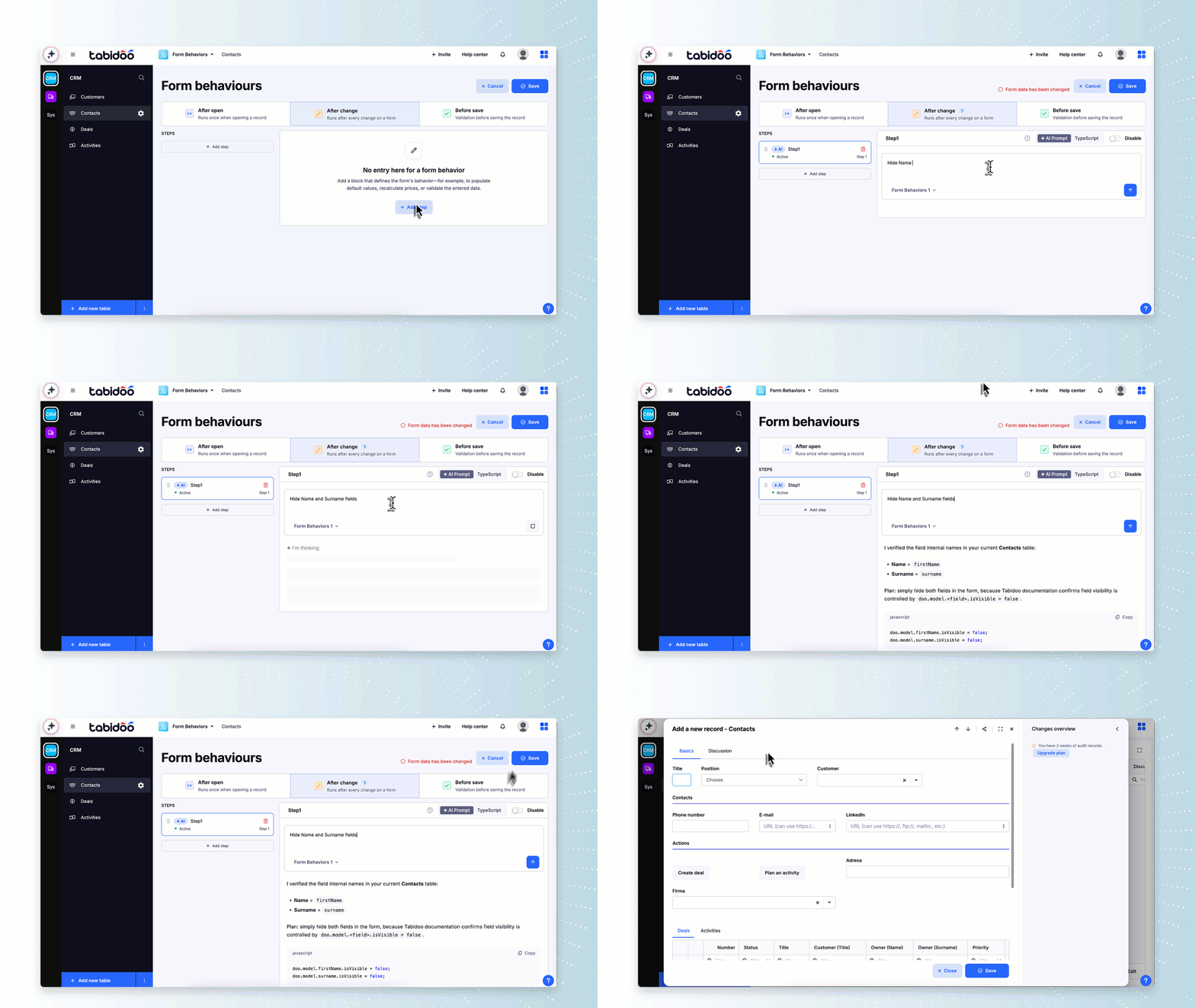

After: The Name and Surname fields are hidden automatically when the form opens.
Benefits
- No coding required
- Faster development
- Easier maintenance
- More accessible for non-technical users
Relationship to scripting
AI does not replace scripting completely.
- Advanced scenarios will still support TypeScript
- AI-generated logic can complement or simplify scripts
- Developers can combine both approaches
Feedback
AI Form Behaviors are a new feature, and we would be happy to hear your feedback.