
Links to Documents
The Links to Documents extension provides a quick way to access all important documents from one central place inside your application.
How to Download and Install a Tabidoo Extension
There are two valid ways to open the Tabidoo Extensions catalog and install an extension into your application.
Option 1: Using Add new table
- Click Add new table in the bottom-left corner of the application.
- In the center of the screen, select Add Tabidoo extensions.
- Choose the extension you want from the catalog and add it to your application.
Option 2: Using Edit application
- Click on the application name at the top of the screen.
- From the list, select Edit application.
- Expand the Application extensions section.
- Choose and install the desired extension from the available extensions.
Both methods lead to the same extensions catalog and can be used interchangeably.
How It Works
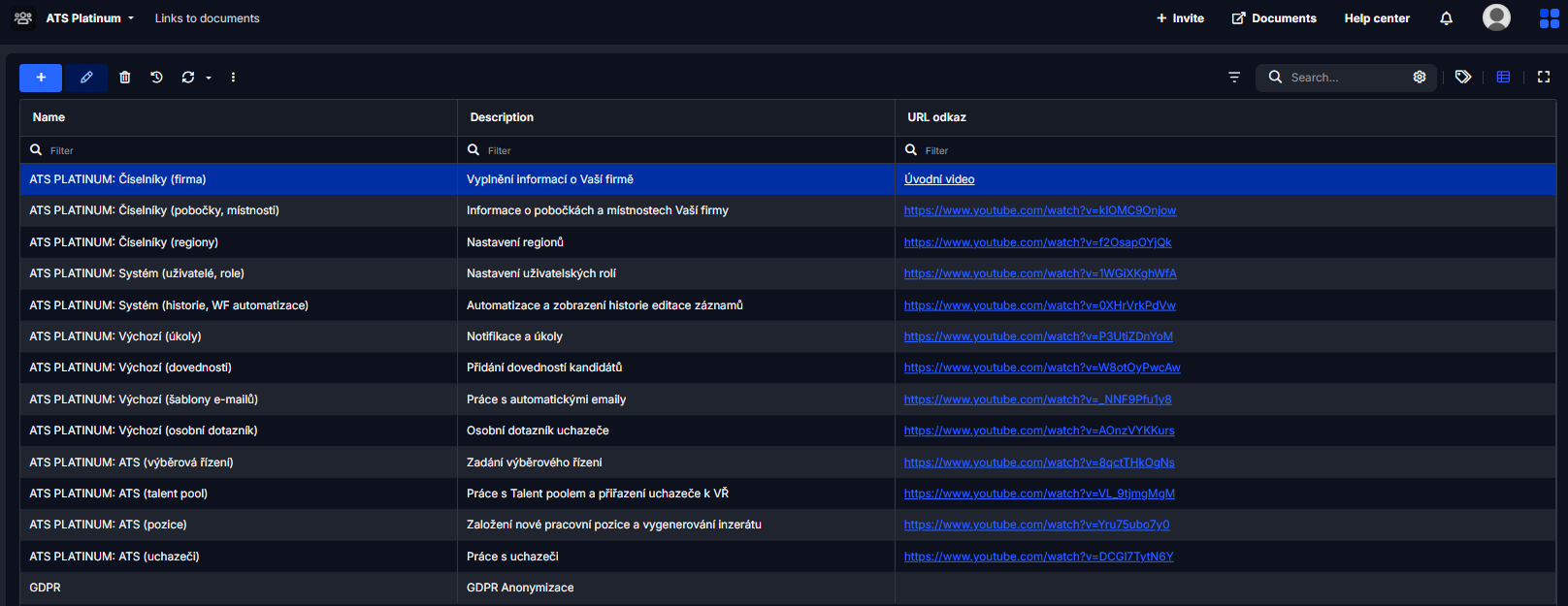
- After enabling the extension, a special section will appear in your application.
- Here you can add and manage links to documents that are relevant for your team or project.
- Links can point to files stored in Tabidoo, or to external resources (Google Drive, SharePoint, Dropbox, etc.).
Benefits
- Centralized access – keep all essential documents in one place.
- Faster navigation – no need to search through different tables or folders.
- Collaboration – share links with colleagues so everyone works with the same resources.
Best Practices
- Use this extension for project documentation, contracts, guidelines, or manuals.
- Keep the list clean and up to date — remove obsolete links.
- Combine with Tabidoo’s access rights to make sure only the right people can see or manage the links.