From Old to New Form Designer
The new Form Designer in Tabidoo brings a completely new way of designing your forms. Compared to the old version, it offers drag-and-drop editing, visual controls, and much more flexibility. Let’s take a closer look at the differences.
Old vs. New Designer
Limitations of the old designer:
- Fixed layout strictly tied to the table definition.
- No drag-and-drop editing.
- Only basic settings for form items.
- Difficult to achieve more advanced layouts.
Advantages of the new designer:
- Drag & Drop – easily move items around the form.
- Visual controls – groupbox, tabs, splitter.
- More settings per controls – adjust the behavior and appearance of every item.
- Flexible layout – form rows are "virtual". Components in the same row automatically fill proportional space.
Why the change?
The new designer was created to give users more control, flexibility, and a modern interface that grows with your needs.
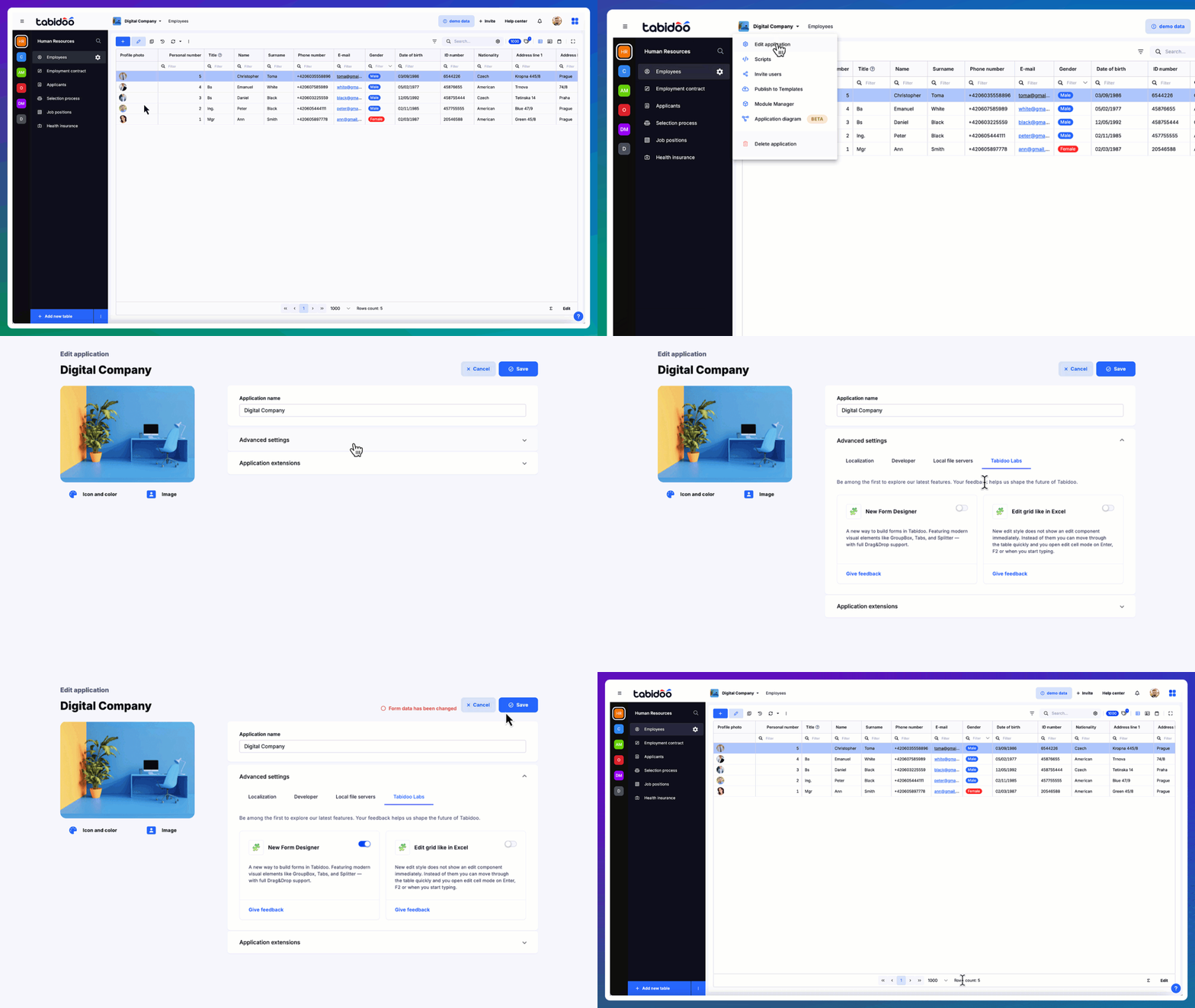
How to try it?
Currently, the new Form Designer is available as a beta feature in Tabidoo Labs. You can enable it and start experimenting today.