
Mathematical Functions
Mathematical functions in Tabidoo help you to ease your work by summing the field/column values.
Where to Find It
In the bottom-right corner of each table, click the ∑ (Sigma) icon to activate mathematical functions.
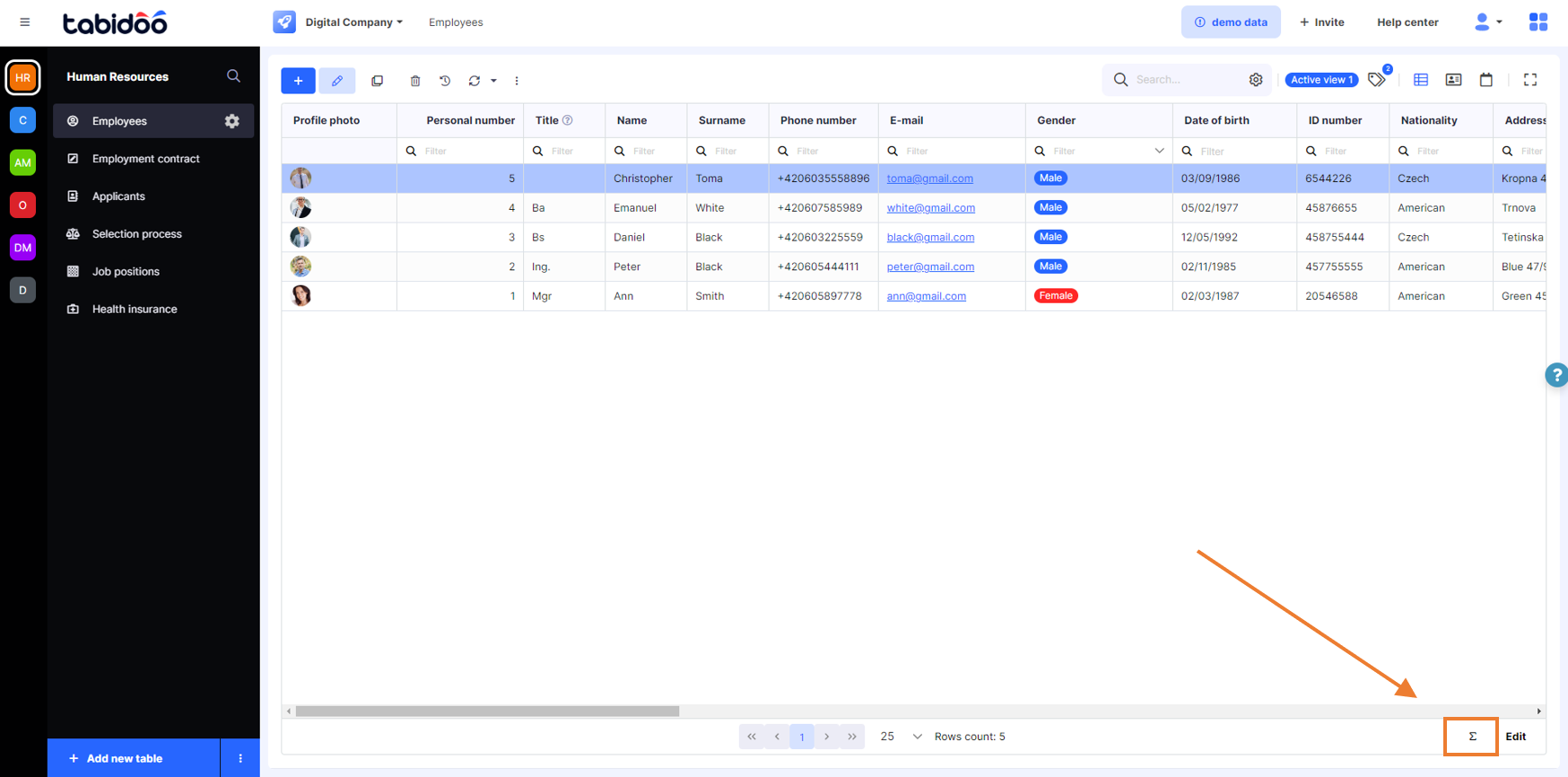
Where to find mathematical functions in Tabidoo
Available Functions
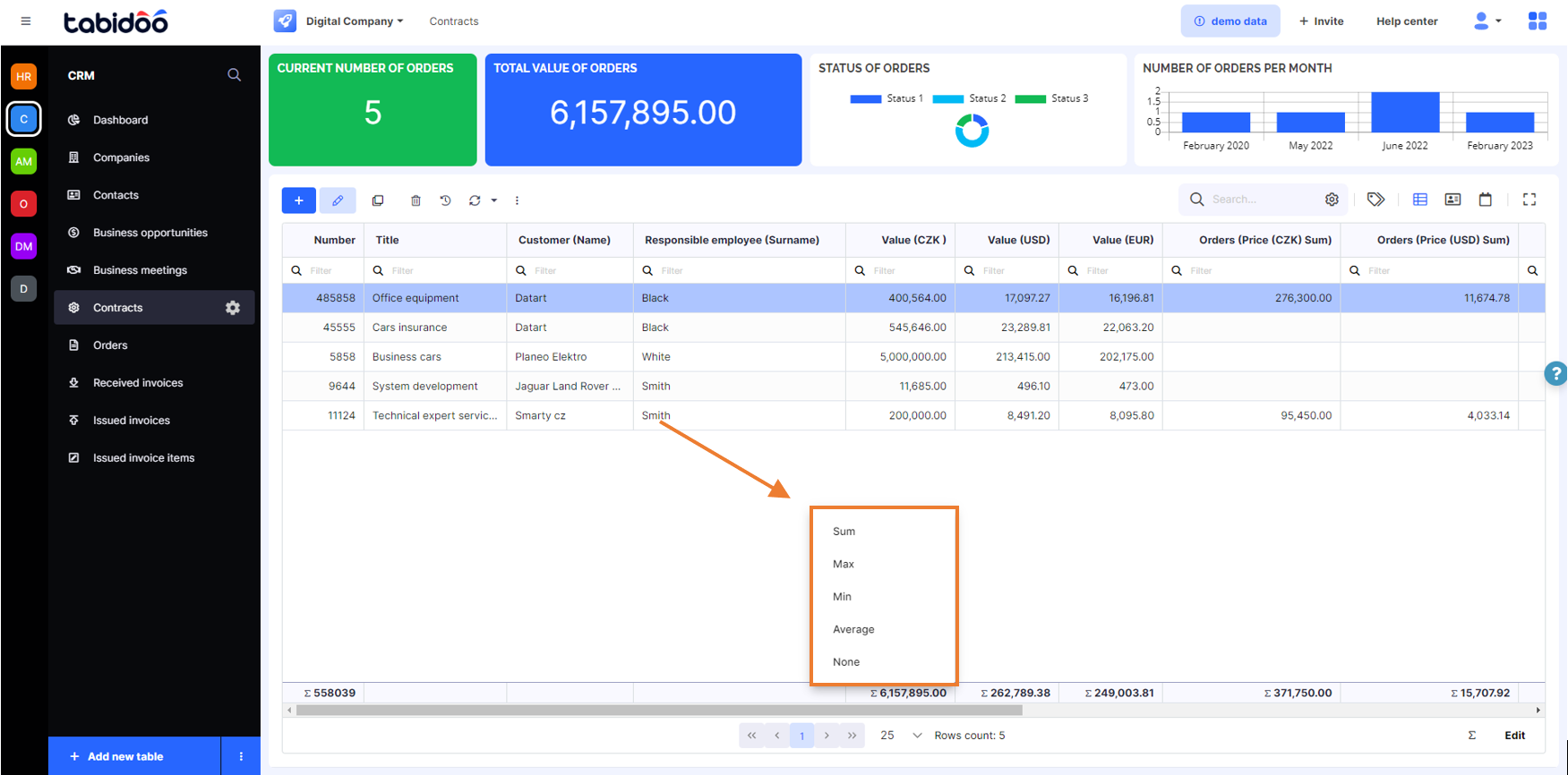
Once activated, each numeric, decimal, or date column will offer a small dropdown menu with the following options:
- Sum – Adds all values in the column.
- Min – Shows the smallest value.
- Max – Shows the highest value.
- Average – Calculates the mean value.
✅ These values appear at the bottom of the table and update automatically when filters are applied.
Use Case Examples
Finance: Sum of all invoices or total order value.
HR: Average age or hire date of employees.
Sales: Find the highest deal amount or average conversion time.
Notes
These functions work only with fields of type number, decimal, or date.
The results are dynamic – they reflect any filters currently applied in the table view.