
Custom Action
AI will bring a new way to define automation and logic in Tabidoo — without the need to manually configure every step.
Instead of building everything step by step, you will be able to describe what you want — and AI will generate it for you.
AI in Workflows
Workflow Automation will introduce a new type of step:
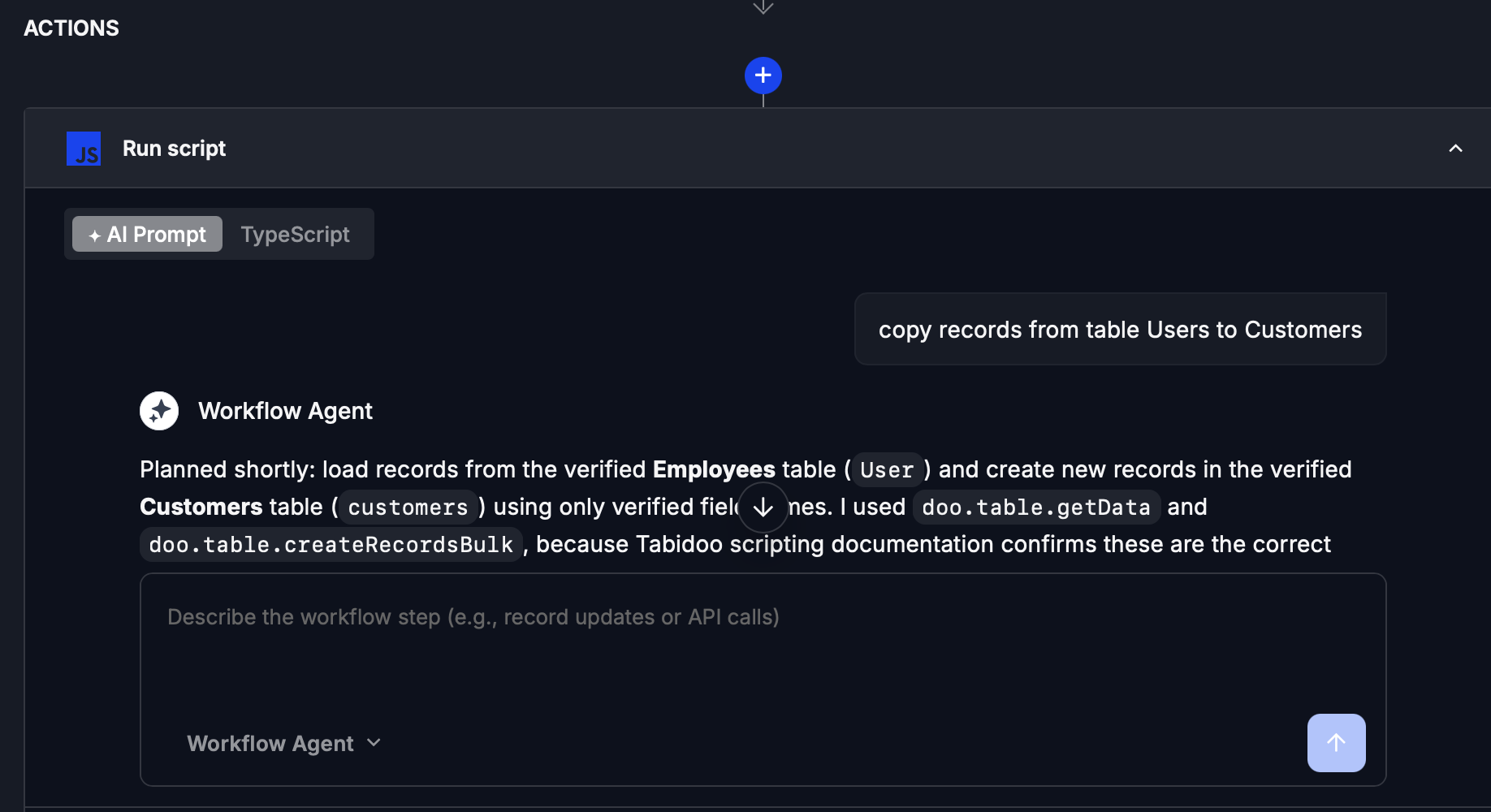
Custom Action
With the AI step, you will be able to define automation using a simple prompt.
Example:
Send a notification when a record is updated and assign it to a specific user.
Validate form input before saving and prevent submission if conditions are not met.
AI will translate your request into a fully configured workflow action.
What will you be able to do?
- Create workflow actions using natural language
- Simplify complex automation
- Reduce manual configuration
- Quickly prototype automation logic
Future direction
In the future, AI will allow you to:
- Generate entire workflows from a single prompt
- Combine multiple steps automatically
- Optimize and suggest improvements