
AI Credits & Usage
AI features in Tabidoo – the AI Chat, AI form behaviors, custom widgets, custom actions, and doo.ai in scripts – use AI credits.
What is an AI credit?
An AI credit is the unit of AI consumption in Tabidoo. Every AI operation – an answer in the AI Chat, generating content, processing a document – uses credits.
How many credits an operation uses depends on how much work the AI does: the length of the conversation, the attached files, and the tools the AI uses. Even a short question uses a noticeable number of credits, because the AI also processes its instructions and tools every time.
AI assistants connected through MCP (Claude, ChatGPT, …) do not use Tabidoo AI credits – see Tabidoo MCP server.
Credits included in your plan
Plan | Free | Basic | Standard | Pro | Enterprise |
|---|---|---|---|---|---|
AI credits per month | 1,000,000 | 5,000,000 | 10,000,000 | 25,000,000 | As agreed |
On the pricing page, the credits are shown in euros: 1 € = 1,000,000 credits.
Included credits:
- are renewed on the first day of each month,
- are valid for that month only,
- do not roll over – if 1,000,000 credits are left at the end of the month, they are not carried over.
Purchased credits
When you need more AI than your plan includes, you can buy credits. Purchased credits:
- do not expire and are not renewed,
- stay available until you use them up,
- are used after the credits included in your plan.
To buy credits:
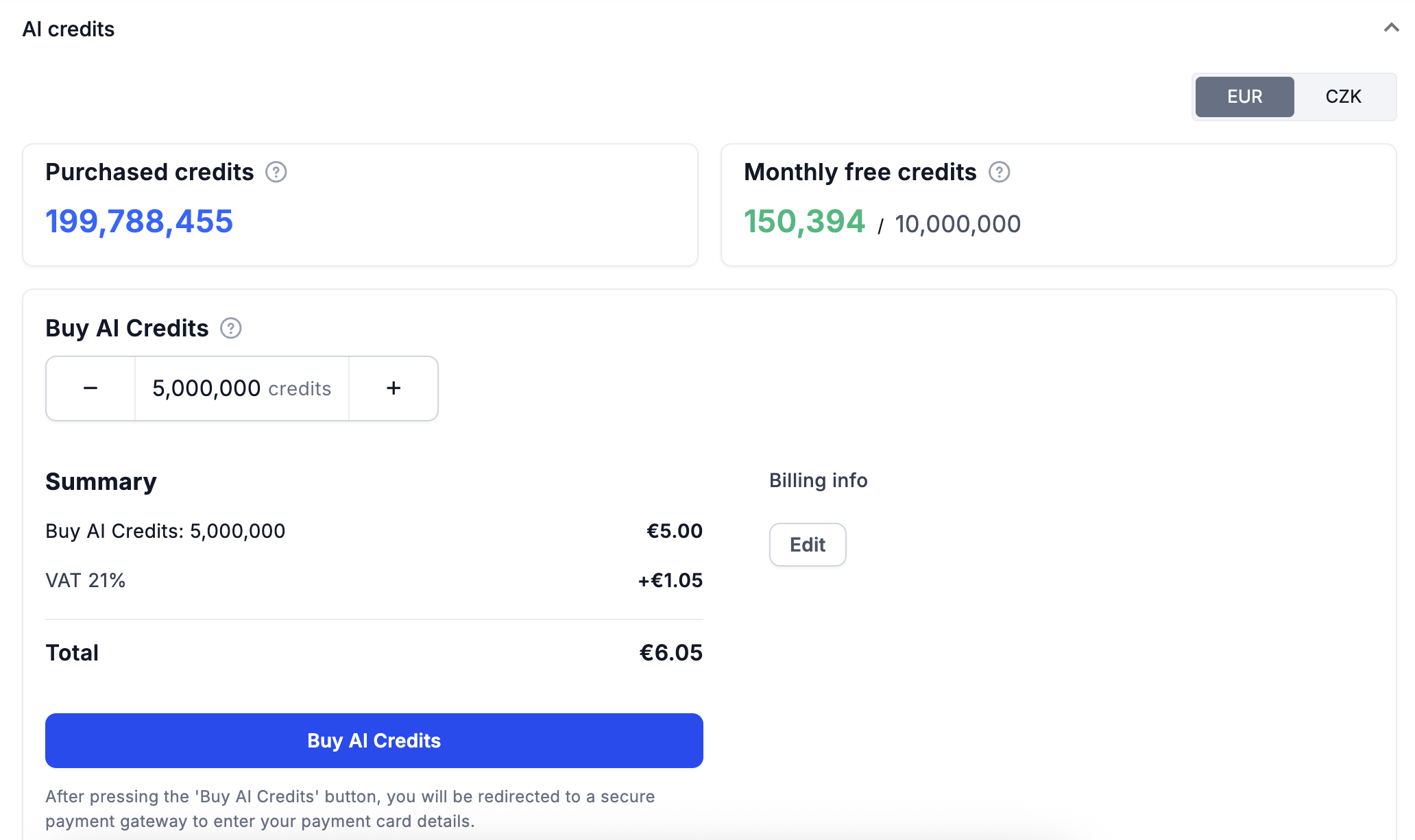
- Click your avatar in the top right corner and open AI credits.
- Select the currency – EUR or CZK.
- Choose the number of credits with the + and – buttons. The minimum purchase is 5,000,000 credits.
- Check the summary, including VAT and the total price.
- Click Buy AI Credits. You are redirected to a secure payment gateway.
What happens when you run out of credits
- Tabidoo first uses the credits included in your plan.
- When they are used up, it continues with your purchased credits.
- When you have no purchased credits left, AI features stop working until the first day of the next month – or until you buy more credits.
Who pays for AI in an application
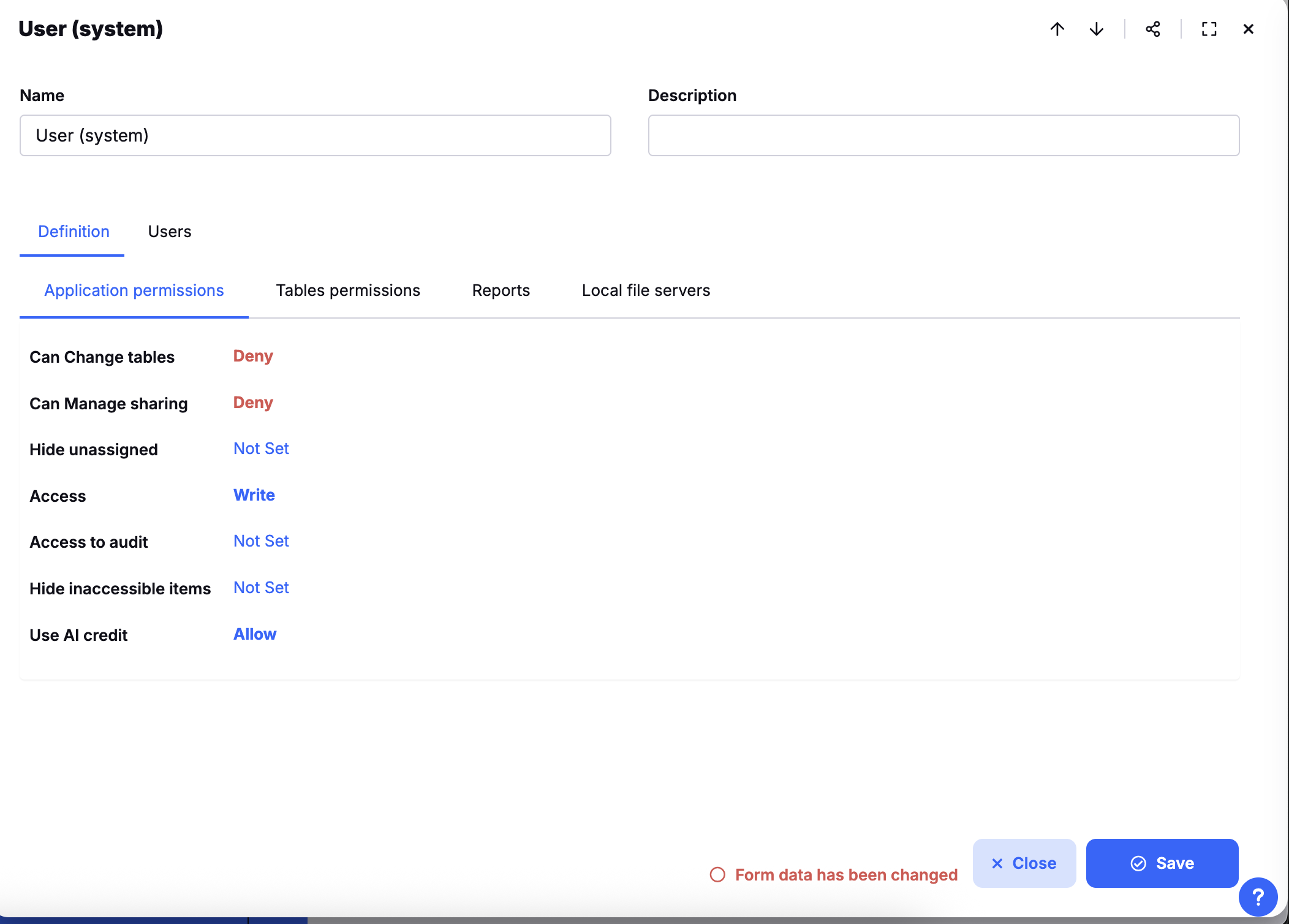
AI used in an application is paid from the credits of the application owner – but only for users whose role allows it. This is set by the Use AI credit permission of the role:
Use AI credit | What happens |
|---|---|
Allow | The user uses AI in the application, paid from the owner's credits. |
Not set / Deny | The user cannot use AI in the application at all. |
Users can always use AI in their own applications, and in other applications where their role has Use AI credit set to Allow.
Allow AI for the users of your application
- Open the Role table.
- Add a new role or edit an existing one.
- Set Use AI credit to Allow.
Users with this role can now use AI in the application, paid from your credits.
Check your consumption
Click your avatar → Data usage → Consumption:
- Free AI credits – how many of the credits included in your plan you have used this month.
- Purchased AI credits – how many purchased credits you have used this month.
Click the row to see the history and the top consumers – by source (for example an AI agent), by application, or by user.
On the Notifications tab, you can set an alert before your credits run out, for example at 80 % of your monthly credits.

For developers: the credits value in the response of doo.ai.callAgent is what was deducted for the call. See doo.ai.