
Gantt
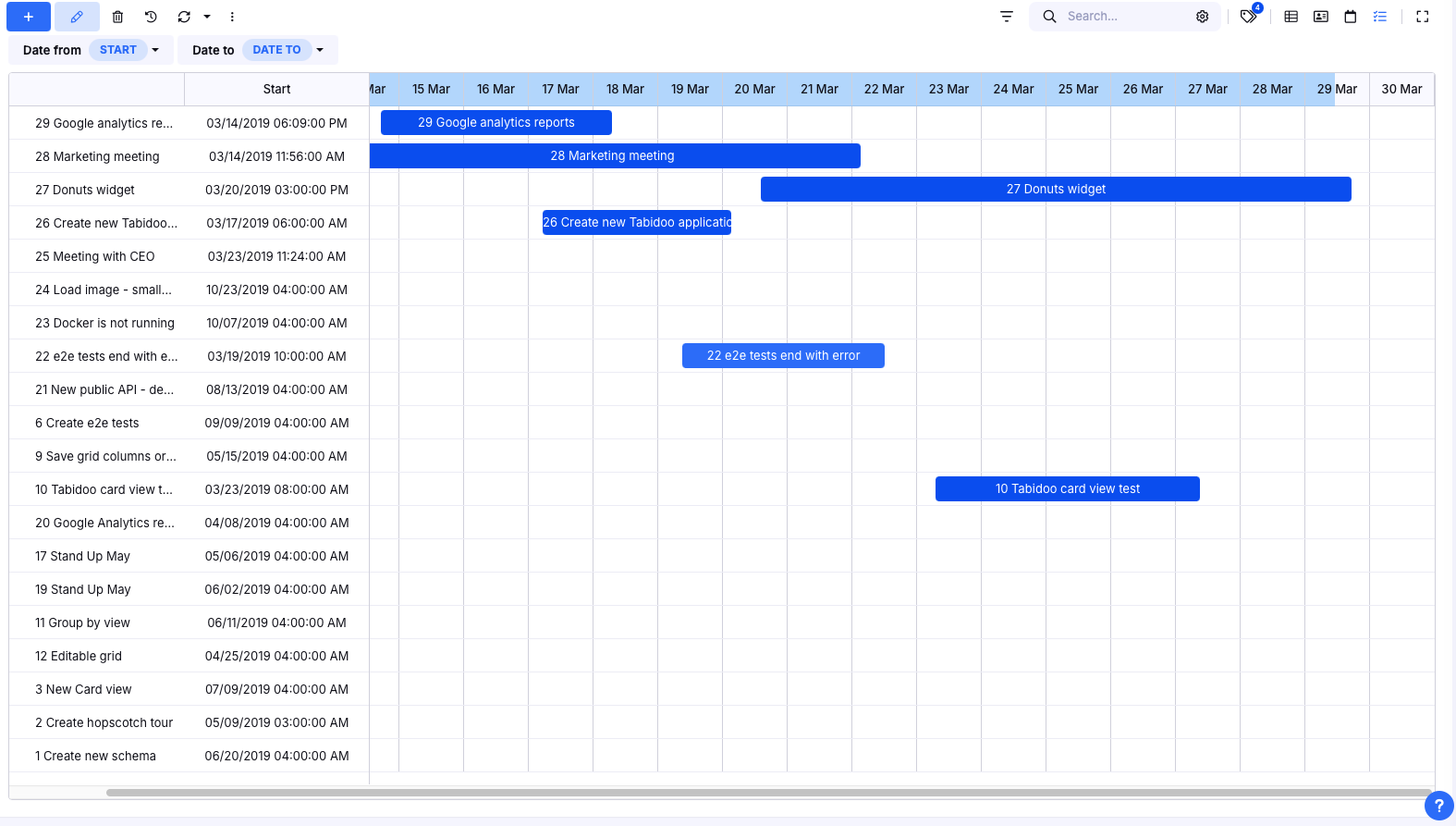
Gantt is a timeline-based view that helps you manage projects over time.
Instead of just working with a task list, Gantt shows you when things happen, how they relate, and what impacts what.
It turns simple task tracking into real project management.
Why use Gantt?
A task list works well… until tasks start depending on each other.
Gantt helps you clearly see:
- Dependencies – what depends on what
- Timeline – when tasks start and end
- Impact of changes – what gets delayed when something shifts
- Project flow – how the whole project evolves over time
Key benefits
Visibility over time
You see projects as they actually unfold — not just isolated tasks.
Fast reaction to changes
When something shifts, you immediately know what it affects next.
Better planning
You can adjust timelines in a few clicks instead of reacting under pressure.
Full control over projects
You manage the entire process, not just individual tasks.
When should you use Gantt?
Use Gantt when:
- Tasks depend on each other
- You need to track deadlines
- You manage multi-step projects
- You need to answer:
“When will it be ready?”
How to enable Gantt in Tabidoo
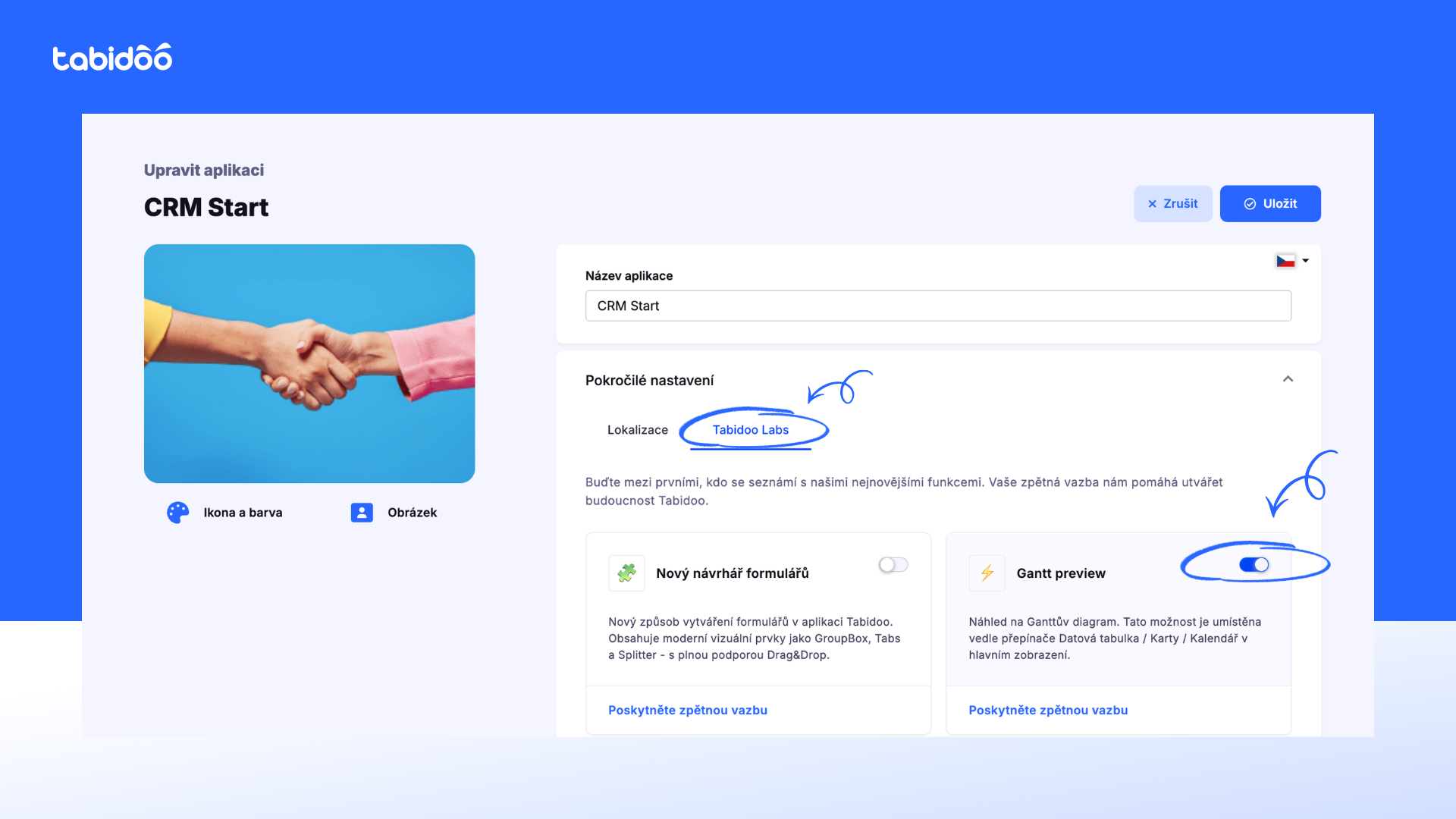
Gantt is currently available in Tabidoo Labs (beta features).
Step-by-step:
- Open your application settings
- Go to Advanced settings
- Find the Tabidoo Labs section
- Enable Gantt preview
- Click Save
What happens next?
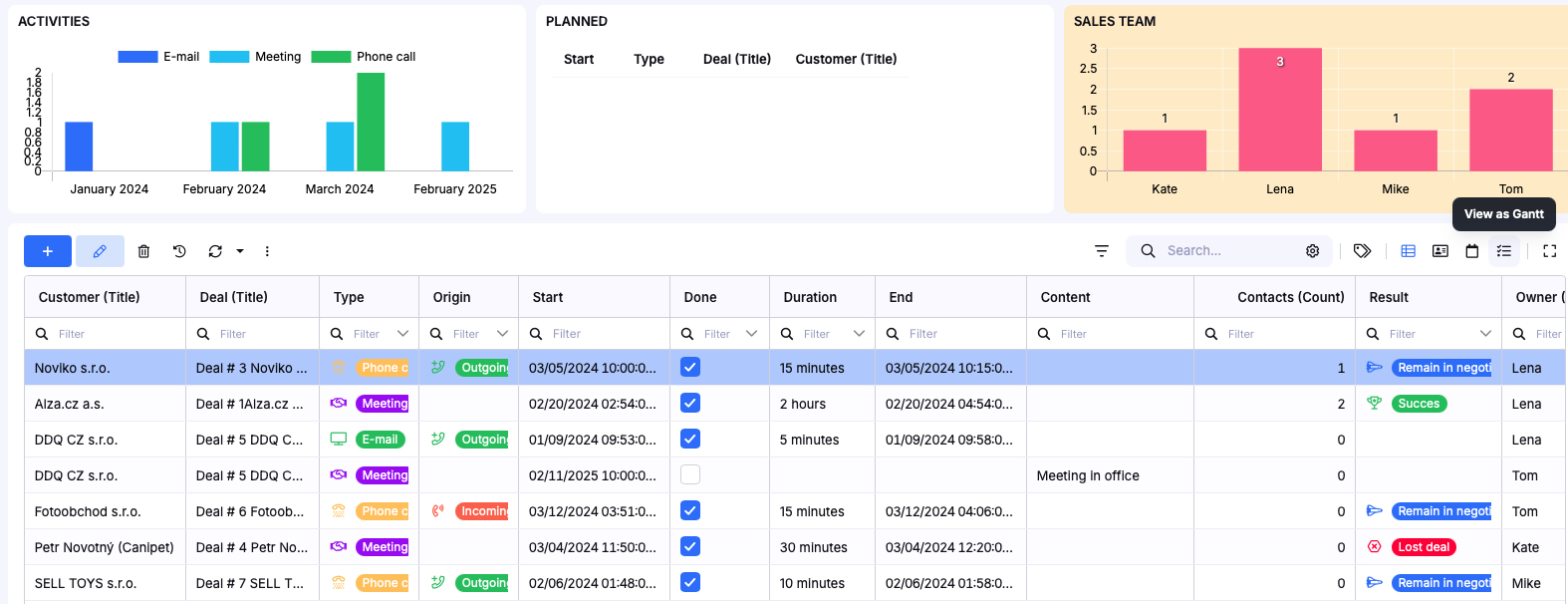
After enabling the feature, Gantt will appear as a new (4th) view in your application:
- Grid
- Cards
- Calendar
- Gantt
You can switch to it just like any other view.
Visual hint
In the app interface, you’ll find the “View as Gantt” option in the view switcher (top-right area of the table).
Important note (Beta)
Gantt is currently in beta, which means:
- Some features are still evolving
- You may occasionally encounter minor issues
- Your feedback is very valuable
If you have any suggestions or notice anything unclear or not working as expected,
please let us know.
Pro tip: Combine Gantt with CRM
Gantt becomes much more powerful when connected with CRM:
- Deals → turn into projects
- Projects → get clear timelines
- You always know:
- what was promised
- what is in progress
- what is delayed
Instead of guessing, you can see everything clearly.
Summary
Gantt is not just a chart — it’s a way to:
- Plan realistically
- Understand dependencies
- React early to changes
- Manage projects with confidence