
AI – Comparison mode
helps you check scripts in Form behaviours. With this feature, AI can review the current table, fields, and script, then explain whether the script is written correctly or suggest possible improvements.
Comparison mode can be enabled using the checkbox directly in the script editor. After it is turned on, you can compare your original script with the AI suggestion or review. This makes it easier to see what AI recommends changing and why.
This feature is useful for checking both simple and more advanced scripts. For example, it can help verify that the correct internal field name is used, that the syntax is valid, and that the script is placed in the correct Form behaviour type.
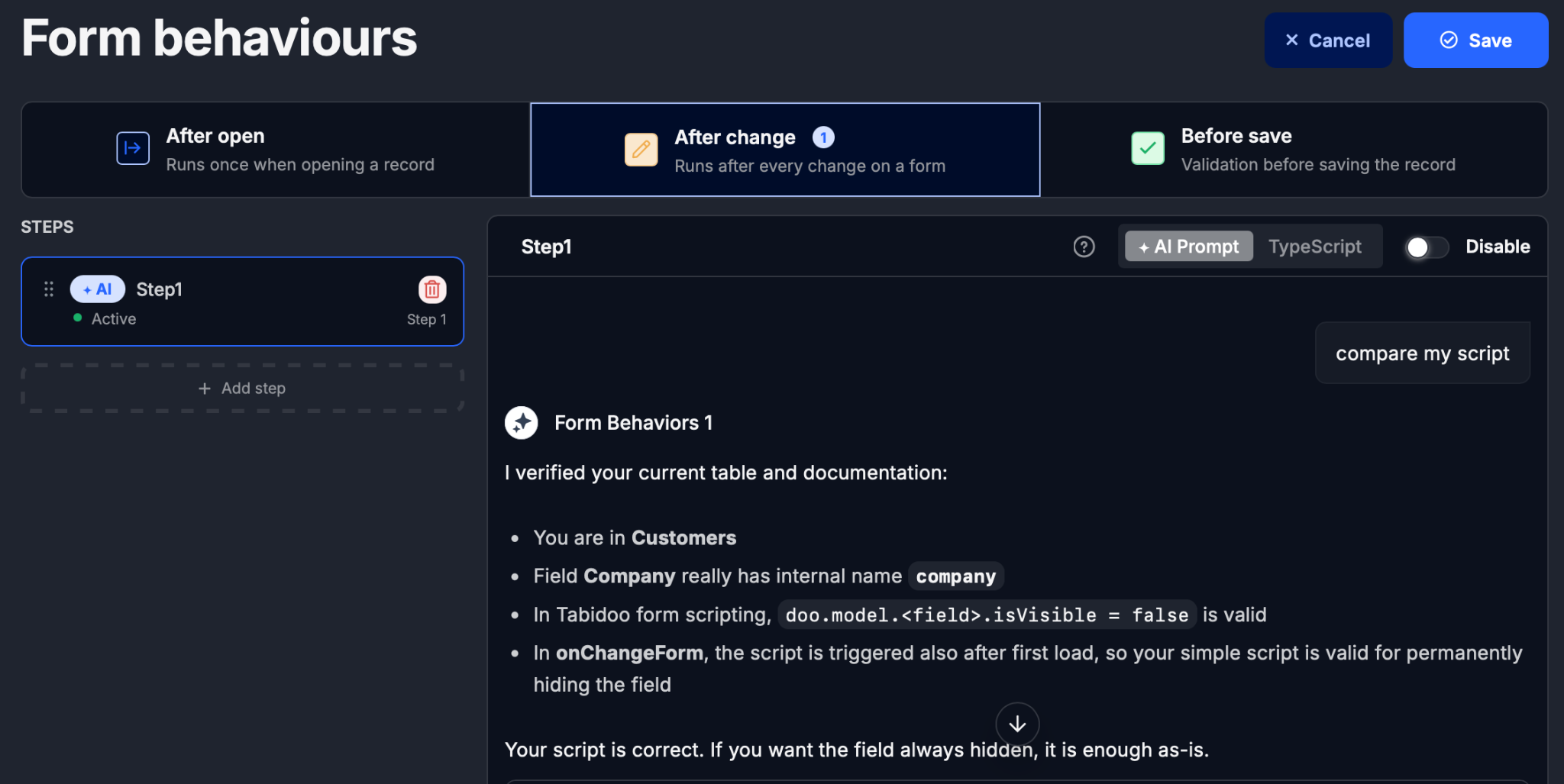
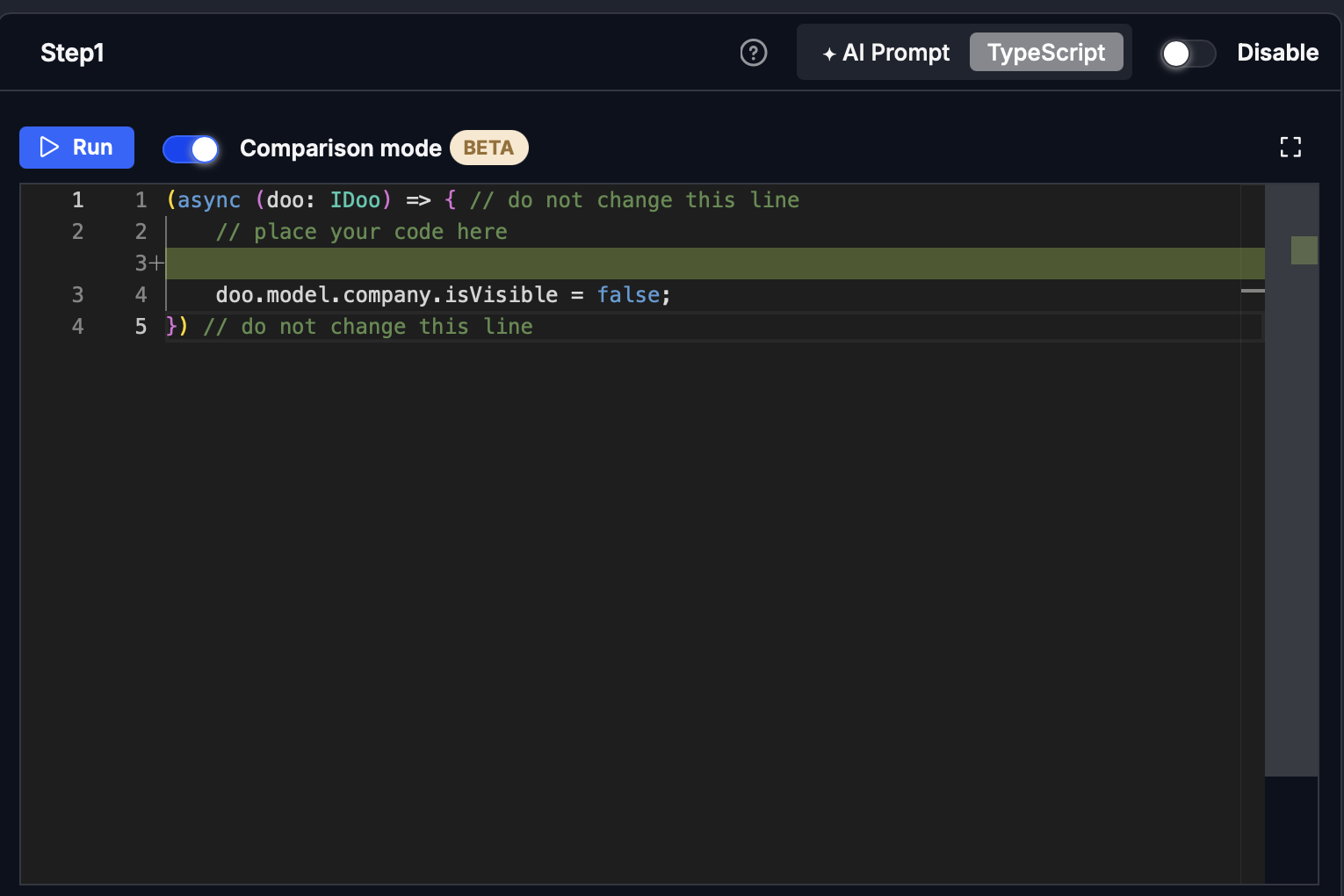
Typical use cases:
- checking whether a script is correct,
- comparing your own solution with an AI suggestion,
- quickly finding mistakes in field names or syntax,
- better understanding what the script does in the form.
Comparison mode is a practical helper when working with scripts. Instead of accepting changes blindly, you can first compare them and decide whether you want to use them.